Kitchen Digitization
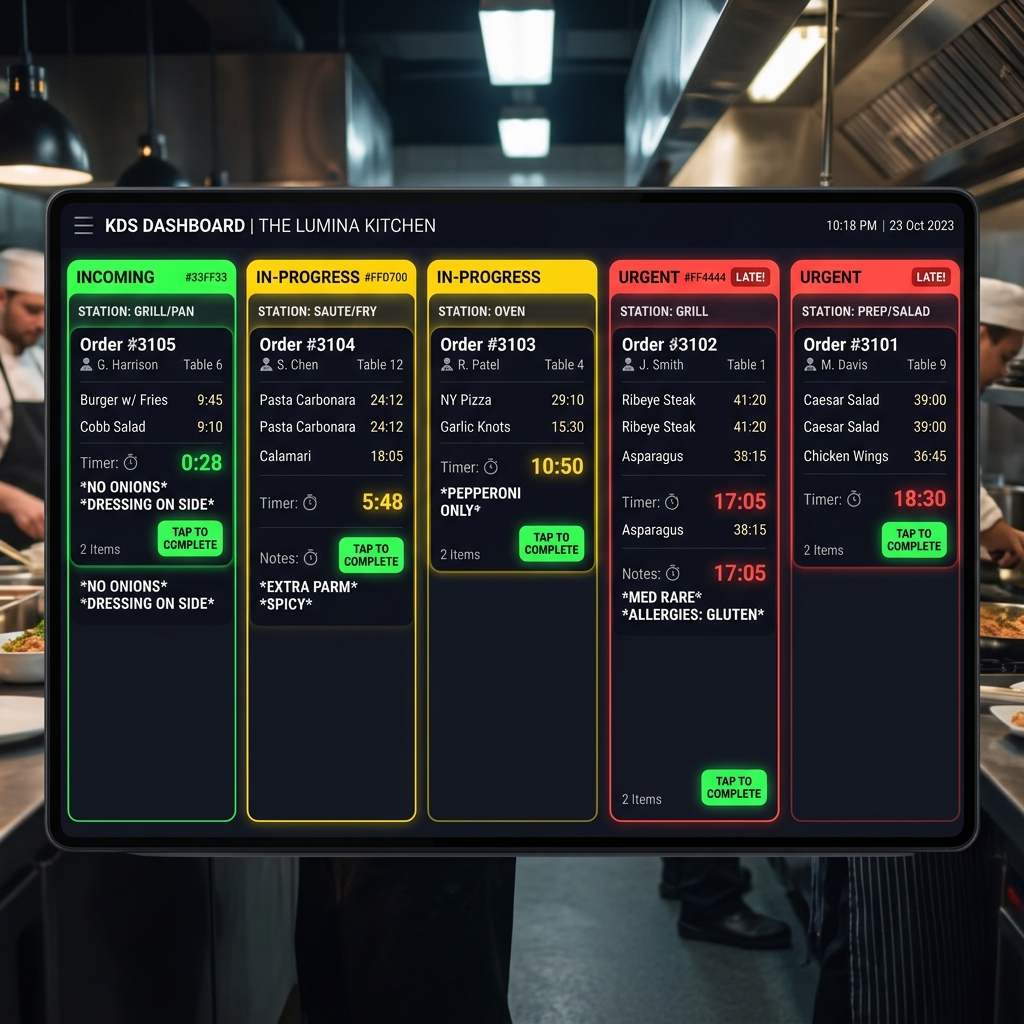
Bring automation to the kitchen. Xinobi routes orders to dedicated preparation stations and displays tickets on beautiful, color-coded display monitors.
Kitchen Display System (KDS)
Digital order viewer screens that replace paper chits. Color-coded ticket headers reflect order age (green, yellow, red) so chefs prioritize correctly.
Station-Specific Routing
Configure items to route automatically to specific preparation zones—such as Grill, Pantry, Bar, or Bakery—reducing kitchen confusion.
Interactive Menu Editor
Create hierarchical categories, define item sizes and variants, and group optional modifier add-ons with custom prices.
Instant Real-Time Sync
Update pricing, edit descriptions, add photos, or mark out-of-stock items instantly across customer menus and staff devices. No printing delays.
Streamlined Kitchen Coordination
Advanced kitchen operations built for high-tempo teams.
Combo & Bundle Builder
Build custom menu combo structures, allowing customers to choose items and variants within pre-defined combo slots.
Menu Availability Scheduling
Automatically show or hide menu categories based on hours of the day (e.g. Breakfast, Peak Lunches, Late Night).
Dietary & Allergen Markers
Flag dishes as Veg, Vegan, Jain, Gluten-free, or highlight allergen ingredients directly on digital menus.
Audio Chimes
Auditory alerts ping on the KDS system as soon as new orders or modifications land, ensuring immediate awareness.
Order Completion Sync
Tap a ticket on KDS once cooked. The system broadcasts an alert to the table captain to serve the food.
Chef Highlights
Promote specific chef specials or daily recommendations directly at the top of the customer's ordering app.